

This guide applies to most inverter models
1. LVFU Battery Side Connection Confirmation
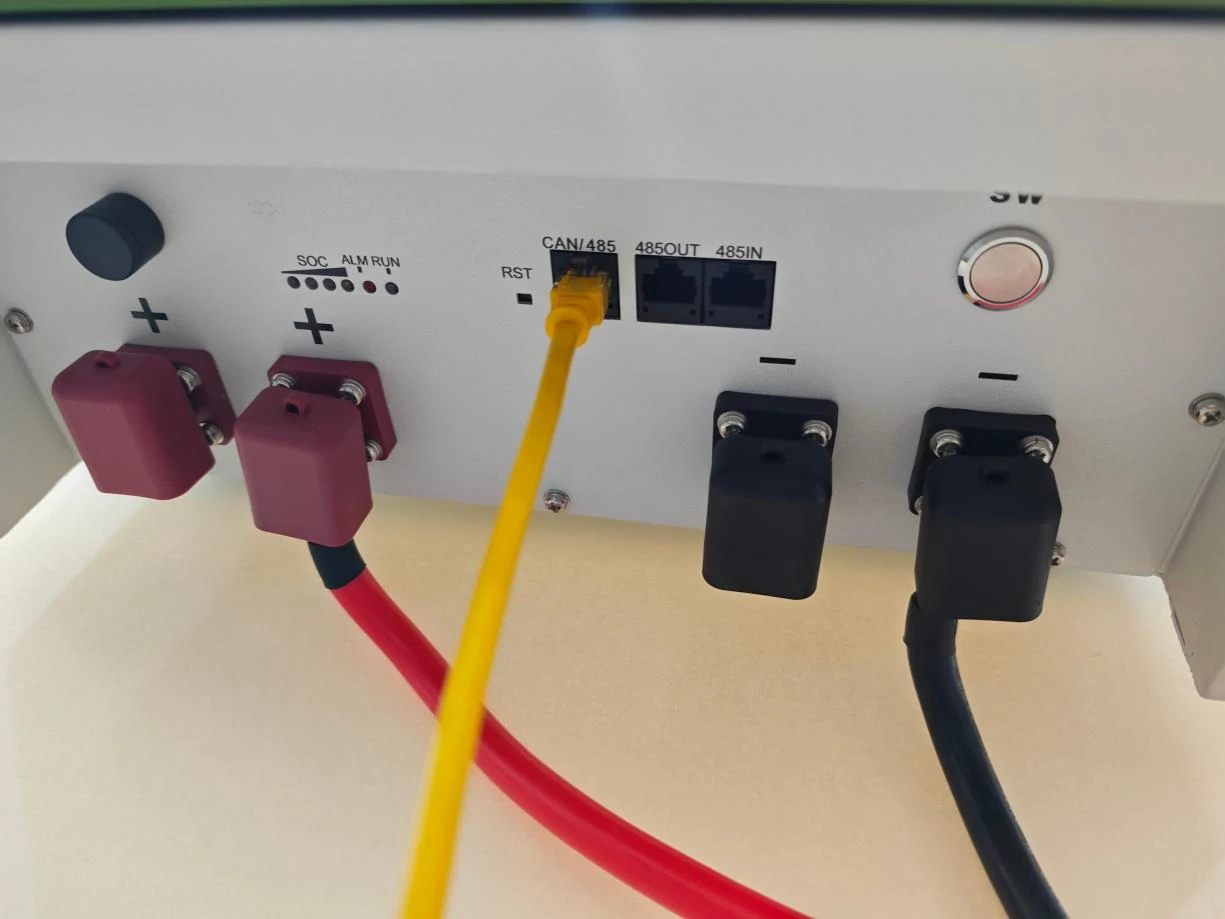
First, confirm that you connect the battery interface as shown below.
Note: The following diagram shows a single battery connection. For parallel use, connect from the 485IN (485B) of the first battery to the 485OUT (485A) of the next battery, and so on.
2. Inverter Side Connection Confirmation
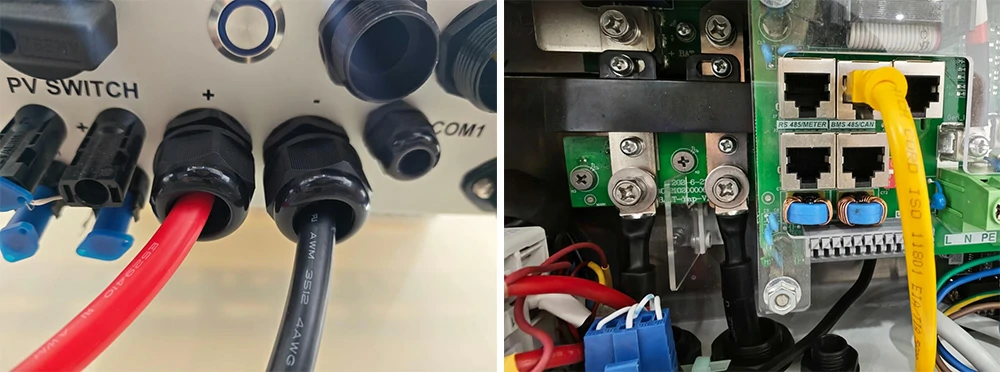
Make sure you set the inverter’s communication port to BMS 485/CAN.
3. Normal Operating Status
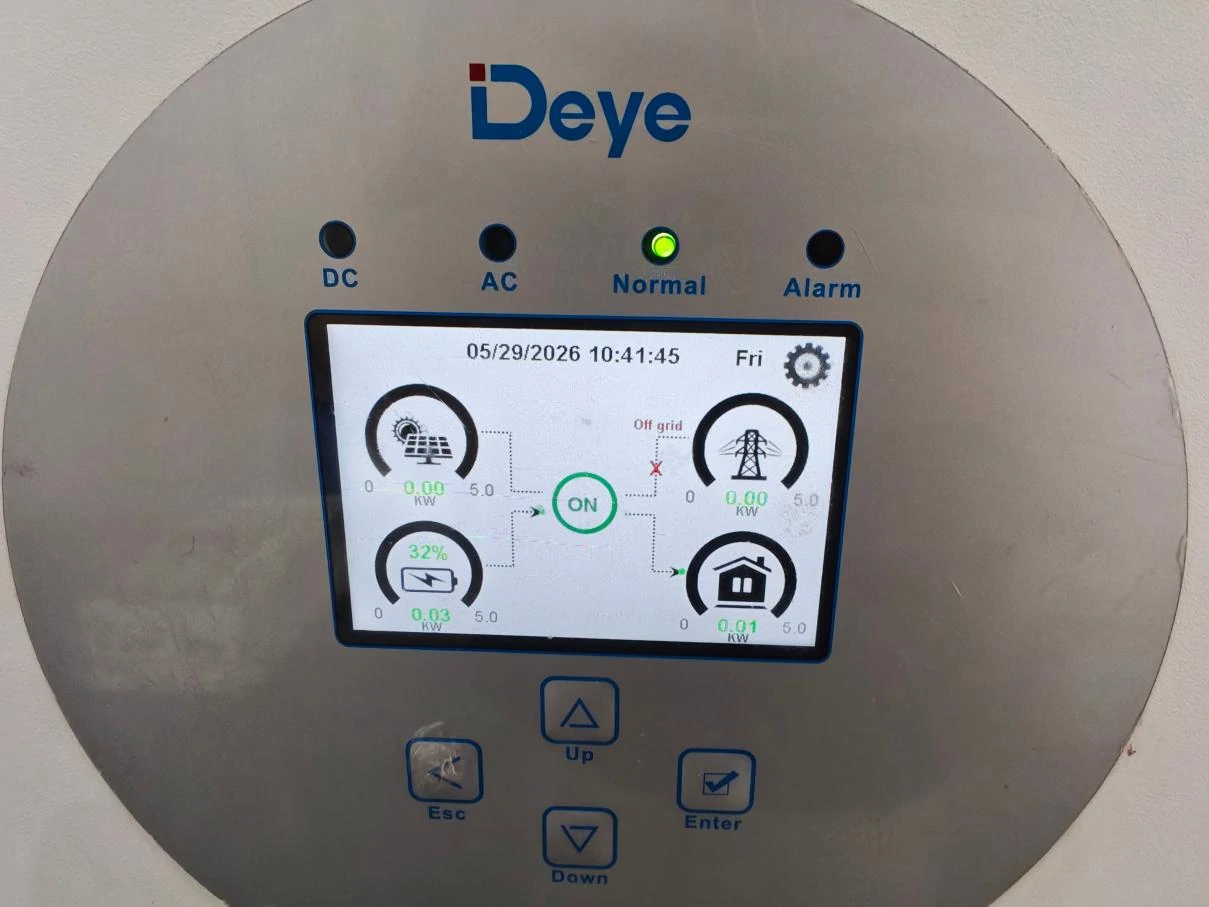
Once you complete the wiring as described above, the battery should work normally, and communication issues will resolve themselves. The image below shows the normal operating screen.
4. What to Do When Charging/Discharging Fails or Battery SOC Is Inaccurate
If you encounter any of the following issues:
- Charging or discharging abnormalities
- Battery low-voltage lockout (cannot start)
- Inaccurate battery SOC reading
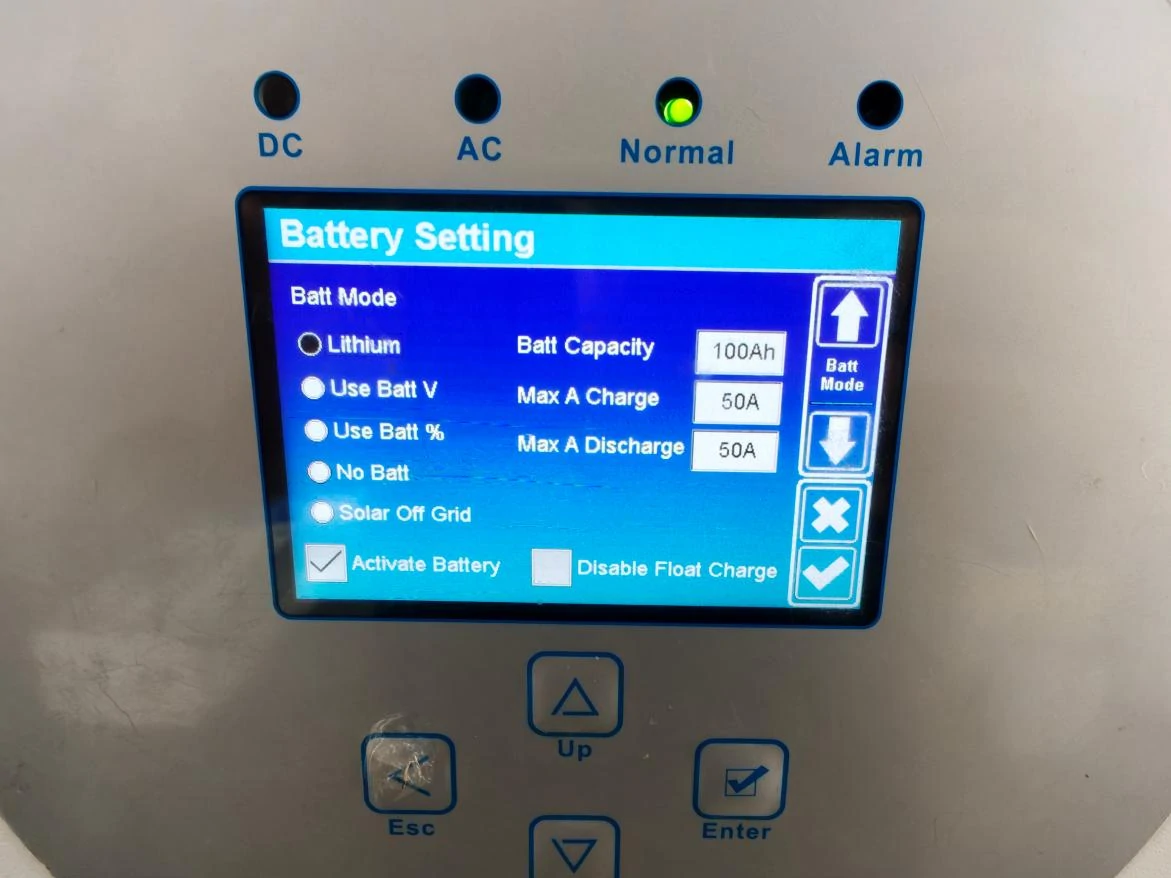
Please check the following settings on your Deye inverter:
| LVFU Battery Model | BMS Current Limit |
| 100Ah / 200Ah | 100Amp |
| 280Ah | 200Amp |
Ensure that the charging/discharging current does not exceed the BMS current limit.
5. Activate Battery Function
The Activate Battery function applies only to batteries that:
- Have remained unused for a long period, or
- Have stayed at low voltage without a full charge for a long time.
This function reactivates the battery and recalibrates the SOC reading.
6. What to Do When Communication Fails
6.1 Check the Communication Cable
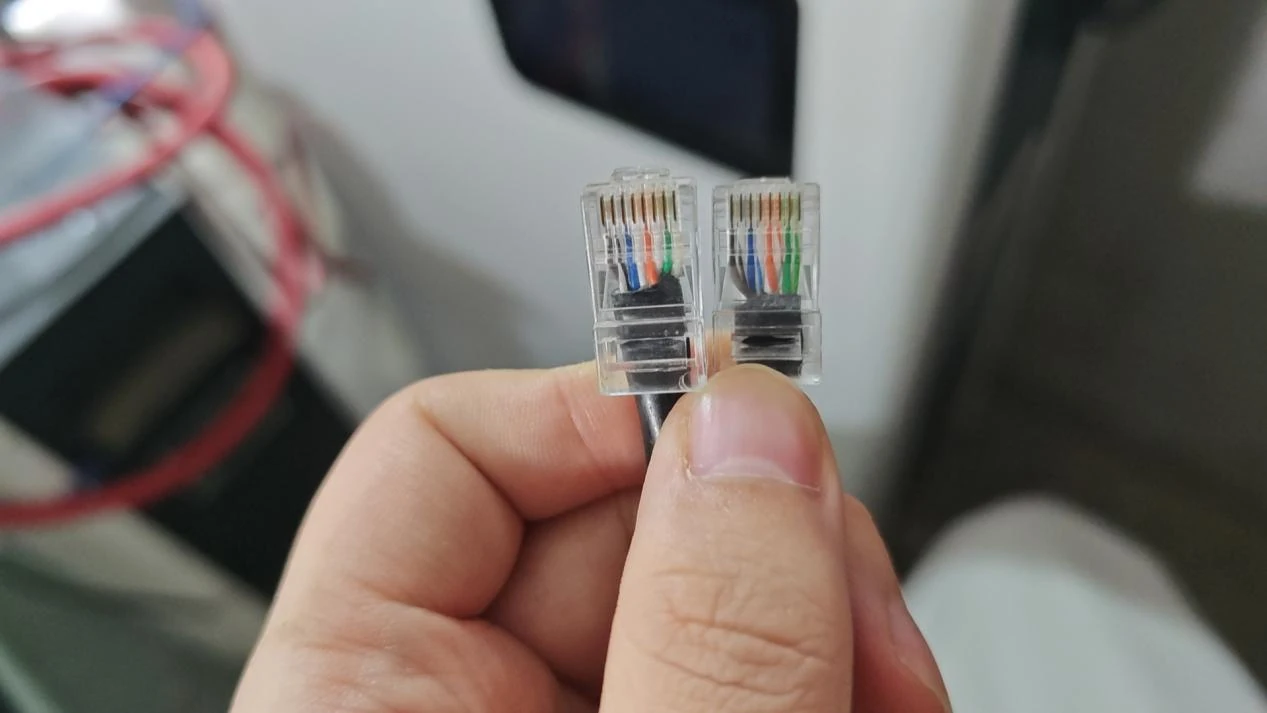
Confirm that the communication cable works properly and that the pin assignments match at both ends.
6.2 When Pin Assignments Do Not Match
If the inverter’s communication port pin assignment differs from the battery’s, you need to make a new communication cable that matches both sides.
7. DIP Switch Settings for Older Batteries
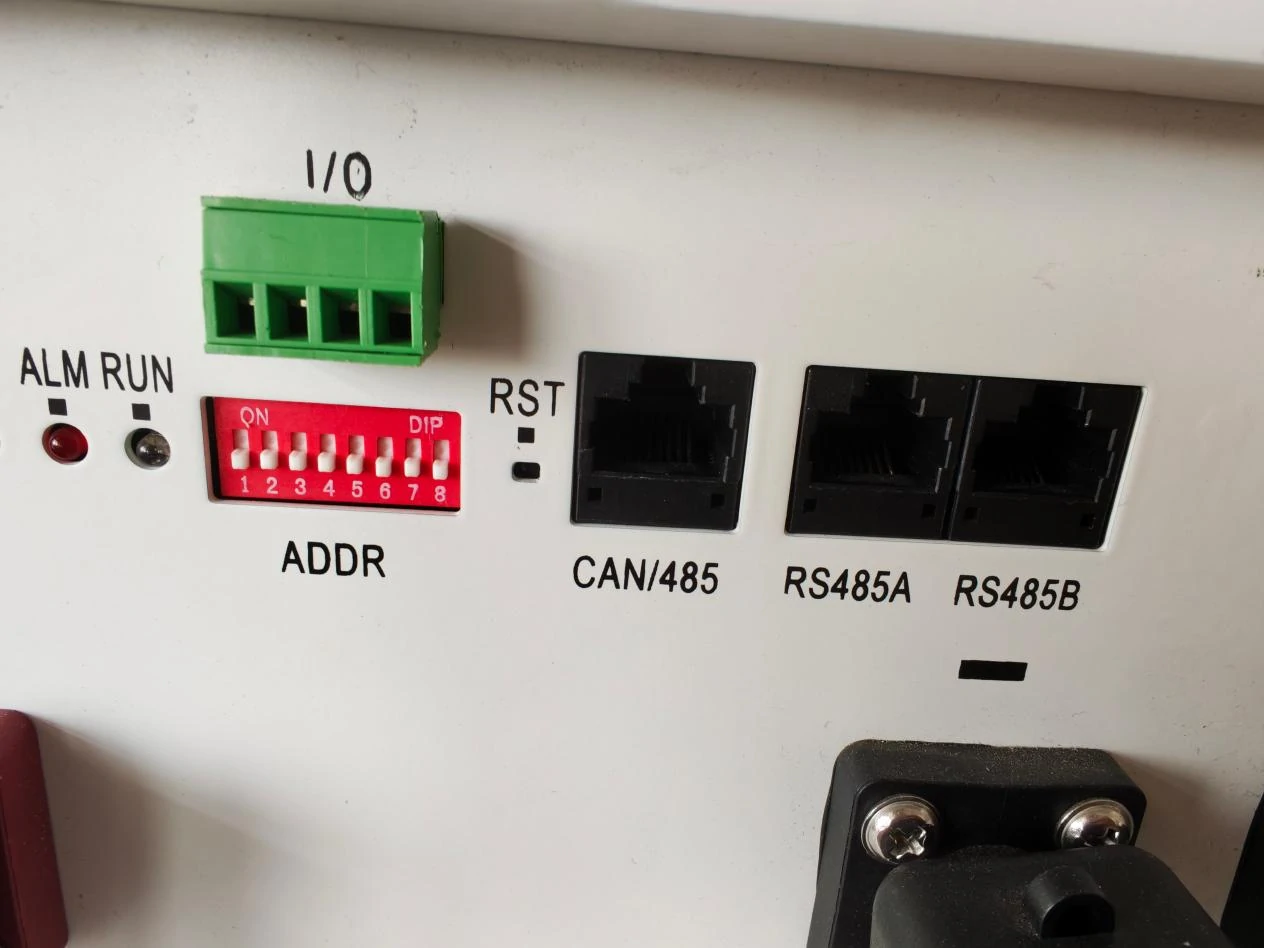
Note: Newer battery versions do not require DIP switch settings. The following applies only to older batteries.
Single Battery Use
Make sure all DIP switches are set to OFF.
Parallel Use with Multiple Batteries
Follow the user manual strictly for parallel DIP settings and communication port connections.
Connect the RS485B of the first battery to the RS485A of the next battery, and so on.
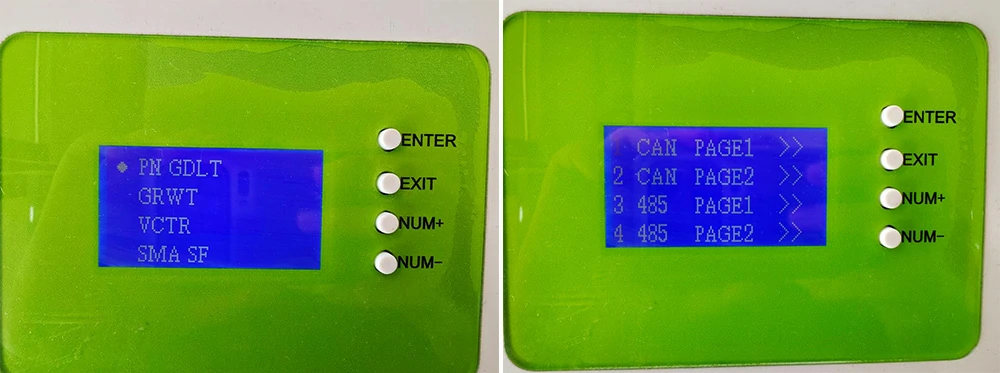
BMS Communication Port Selection During Parallel Connection
When running batteries in parallel, ensure that all batteries use the same BMS communication port selection.
8. Final Step
If you have completed all the steps above and still cannot establish communication, please check the communication settings inside your Deye inverter.
