

Communication issues in lithium-ion batteries typically arise from failures in data exchange between the Battery Management System (BMS) and external devices such as chargers or monitoring systems. Below we outline common problems along with practical solutions.
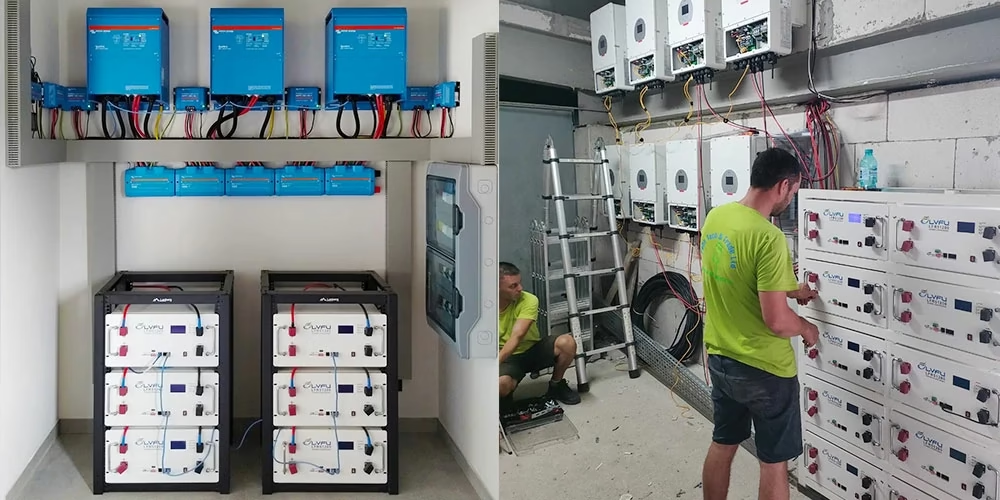
Charger Communication Interruption
This usually happens when the BMS does not receive any message from the charger for more than five seconds. Potential causes include transmission errors from the charger or incorrect data processing by the BMS.
To troubleshoot, begin by inspecting the charger hardware. If replacing the charger restores communication, the original charger was likely defective. Also, verify that the BMS communication parameters match the required settings.
BMS Communication Failure with Monitoring System
Such failures often result from incorrect wiring, loose connections, mismatched protocols, or wrong communication addresses.
First, check the network cable wiring sequence—ensure that the T+, T-, R+, and R- connections for the RS485 interface follow the correct standard. Next, use a multimeter to test the network cable for open or short circuits. After that, confirm that both the BMS and the monitoring system (e.g., FSU) are set to use the same communication protocol and that the device addresses are correctly assigned.
CAN Bus Communication Failure
Common causes include open or short circuits in the CAN bus lines, or faults in the CAN interfaces of modules like the BMS or Vehicle Control Unit (VCU).
Start by measuring the resistance across the CAN bus with a multimeter to check for line abnormalities. Then, inspect the CAN bus connectors for looseness or oxidation—clean or replace them as needed. If you suspect a module failure, use diagnostic tools to read the module status, or try replacing the module temporarily to see if communication improves.
Communication Protocol Incompatibility
Inconsistent protocols—such as Modbus versus CANopen—between devices can prevent successful data transmission.
To resolve this, first identify the protocol types supported by each device. Then, use configuration tools to adjust protocol parameters so that all devices operate under a compatible standard.
Preventive Measures
To minimize communication issues, implement the following practices:
- Regularly inspect communication lines and interfaces to ensure all connections are secure.
- Keep BMS and monitoring system firmware up to date to address software-related communication bugs.
- Always follow installation and maintenance guidelines carefully to avoid wiring or configuration errors.
- If problems continue, contact the equipment manufacturer or a qualified technician for further diagnosis and repair.
